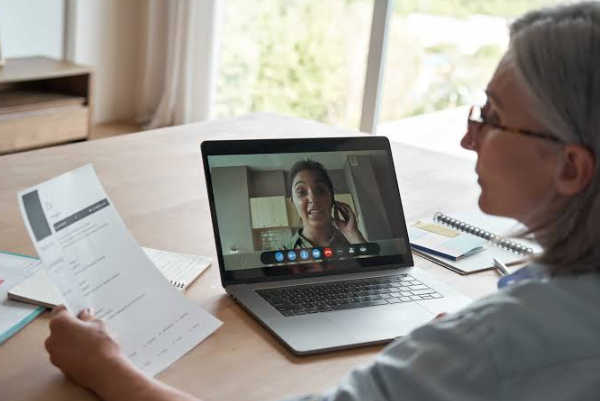
An online interview can save you a lot of time. There’s no commute, no waiting room, and you can join from the comfort of your own space. But there’s one thing that can quickly ruin an otherwise great interview: technology problems.
A frozen screen, weak internet connection, broken microphone, or dead laptop battery can make you look unprepared, even when you’re fully qualified for the job. The good news? Most technical problems are easy to prevent if you take a few minutes to prepare.
If you’re getting ready to หางาน or planning to สมัครงาน, here’s how to make sure your technology is ready before interview day.
Test Your Internet Connection
Your internet connection is one of the first things you should check. Online interviews depend on a stable connection, and a sudden drop can interrupt your conversation at the worst possible moment.
Run a quick internet speed test before the interview. You don’t necessarily need an extremely fast connection, but it should be stable enough for video calls.
If possible, use a wired connection instead of Wi-Fi. Ethernet is usually more reliable. If you have to use Wi-Fi, sit reasonably close to your router and avoid having several people stream videos or download large files at the same time.
It’s also smart to have a backup plan. Know where you can go if your home internet suddenly stops working. Your phone’s mobile data or hotspot could be useful in an emergency.
Check Your Camera
Your camera doesn’t need to produce professional studio-quality video. It just needs to work clearly enough for the interviewer to see you.
Open the video app you’ll be using and test your camera in advance. Make sure your face is visible and positioned comfortably in the frame.
Pay attention to lighting, too. Try sitting somewhere with light in front of you rather than behind you. A bright window behind your head can leave your face looking dark.
You should also clean your camera lens. It sounds obvious, but a quick wipe can make a surprisingly noticeable difference.
Before the interview begins, check what appears on screen. Is your face centered? Is the camera at roughly eye level? Does your background look reasonably tidy?
These small details can make you appear much more confident and prepared.
Test Your Microphone and Speakers
A good conversation becomes difficult when the interviewer can barely hear you.
Open your video meeting software and test both your microphone and speakers. Record a short sample if the application allows it. Listen for background noise, distortion, or a very low voice level.
Headphones with a built-in microphone can be a good option because they may reduce echo and make your voice easier to hear.
Remember to check your microphone settings after connecting headphones. Some devices automatically switch to a different microphone, and you don’t want to discover that five minutes into your interview.
Also, know where the mute button is. Accidentally staying muted while answering a question is a classic online interview problem.
Update Your Interview Software
Don’t wait until interview time to install or update the video meeting application.
If the company sends you a meeting link, open it beforehand. Make sure the software works on your computer and that you understand how to join the meeting.
If an update is required, complete it early. Software updates can sometimes take longer than expected, especially when your computer needs to restart afterward.
It’s also worth checking whether your browser needs permission to access your camera and microphone. If those permissions are blocked, the interviewer may not be able to see or hear you.
Charge Your Laptop and Phone
A low battery warning during an interview is the last thing you need.
Charge your laptop fully before the interview and, if possible, keep the charger connected during the call. This is particularly important for longer interviews.
Your phone should also have enough battery. Even if you plan to use your laptop, your phone can act as a backup communication method if something goes wrong.
Keep your charger nearby rather than buried in another room. It’s a simple step, but it can save you from unnecessary stress.
Close Unnecessary Apps
Before joining the interview, close applications you don’t need.
Too many open programs can slow down your computer and affect video or audio performance. They can also create distracting notifications while you’re talking.
Close messaging apps, personal email, music players, games, and anything else that might pop up unexpectedly.
If you’re sharing your screen, be especially careful. You don’t want private messages or unrelated tabs appearing in front of the interviewer.
Do a Full Practice Run
A complete technology check is better than testing each part separately.
About 15 to 30 minutes before the interview, do a quick practice run. Open the meeting platform, check your camera, test your microphone, confirm your internet connection, and make sure your headphones work.
Then sit where you’ll actually conduct the interview.
This gives you a chance to notice small problems before they become big ones. Maybe the room is noisier than you expected. Maybe your camera angle is awkward. Maybe your laptop fan becomes extremely loud after several minutes.
Fix those issues before the real interview starts.
Have a Backup Plan
Even after careful preparation, technology can fail. That’s just part of using technology.
Keep your phone nearby and have the interviewer’s contact details accessible. If your connection drops, you can send a quick message explaining the problem and reconnect as soon as possible.
Don’t panic if something goes wrong. Stay calm, communicate clearly, and focus on getting back into the conversation.
After all, interviewers understand that technical issues happen. What matters is how professionally you handle them.
Final Check Before You Join
A few minutes before your online interview, run through one final checklist:
- Internet connection is stable
- Laptop is charged or plugged in
- Camera is working
- Microphone and speakers are working
- Headphones are ready
- Interview software is updated
- Unnecessary apps are closed
- Notifications are turned off
- Background looks presentable
- Phone is nearby as a backup
Once everything is checked, take a breath.
Your technology should support your interview, not become the focus of it. A little preparation can prevent most common problems and help you start the conversation feeling calm, prepared, and ready to show what you can do.